Responding to reviews
Respond to your customers’ product reviews with a public comment that appears alongside the review in your online store.
You can respond to the product reviews your customers leave in RateCompass with a public comment. Review responses are included in the Plus tier. Your response appears together with the product review. When you respond to reviews, your customers can see that you read their feedback and care about their experience.
How to respond to a review
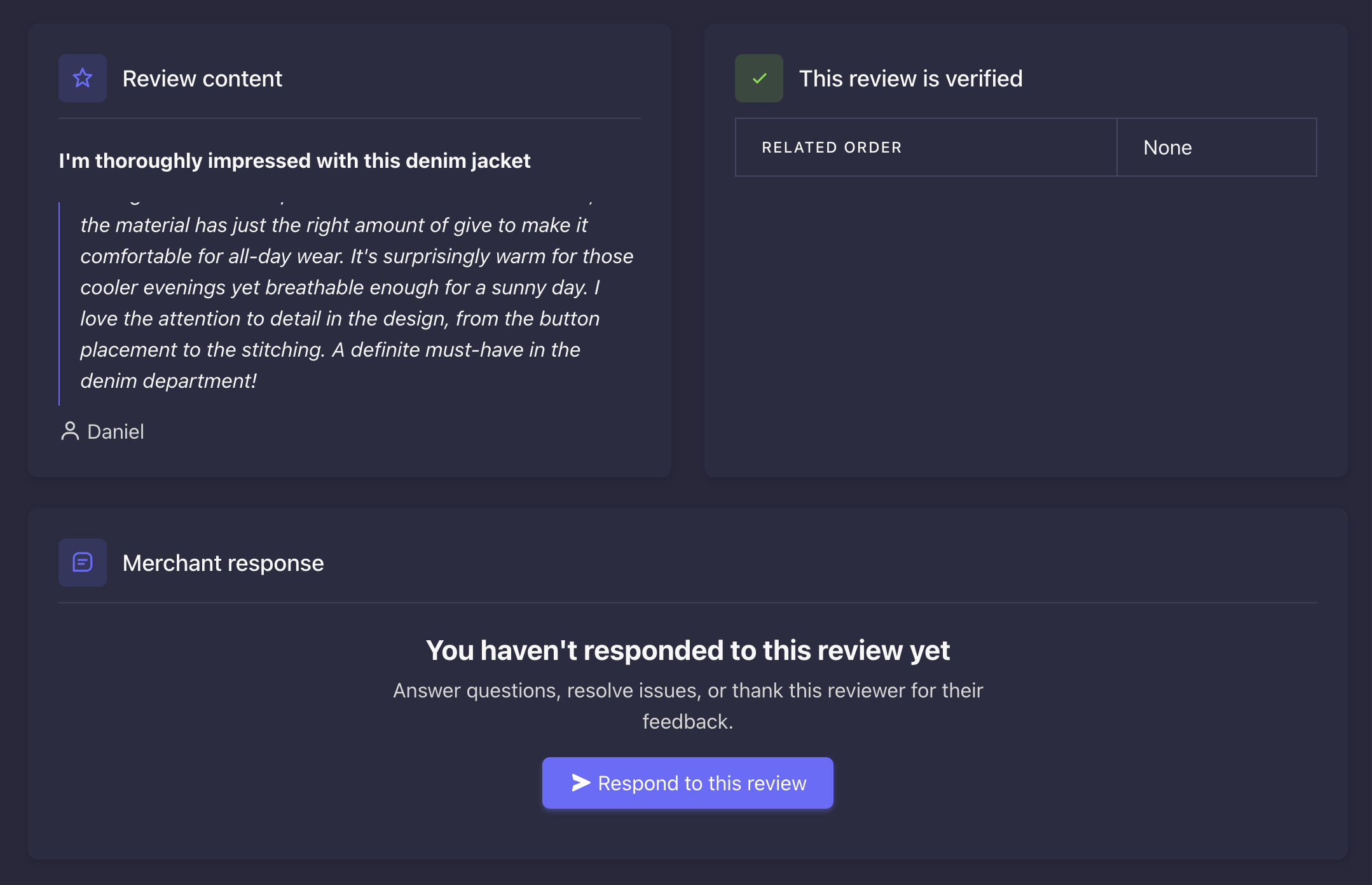
You can respond to product reviews in the RateCompass admin panel under Reviews. To open the review you want to respond to, click the arrow on its left side. A Merchant response section opens below the review, where you can write and save your response. If you want to go through several reviews at once, use the Expand all button to open every review on the page.
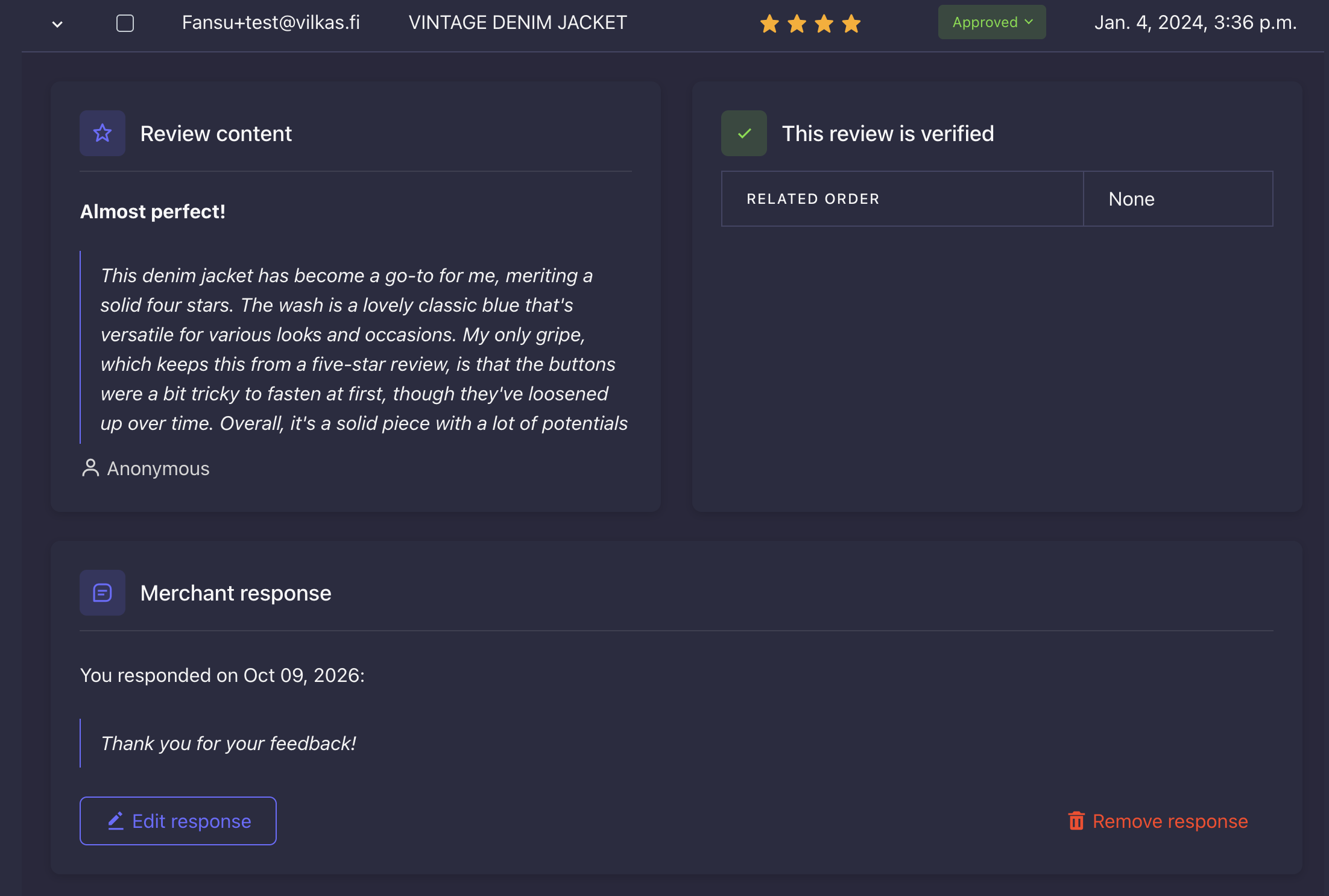
Your response shows the date and is clearly labeled as a response from the merchant. This makes it easy for your customers to tell it apart from the reviewer's own text.
Editing and deleting a response
You can edit or delete a published response at any time. Open the review the same way you did when you wrote the response. In the Merchant response section you'll see your earlier response along with the Edit response and Delete response buttons.
Tips for a good response
For a positive review, a short and warm thank-you is enough. For example, you could write: "Thank you for your kind words! We're so glad to hear you've been enjoying the product."
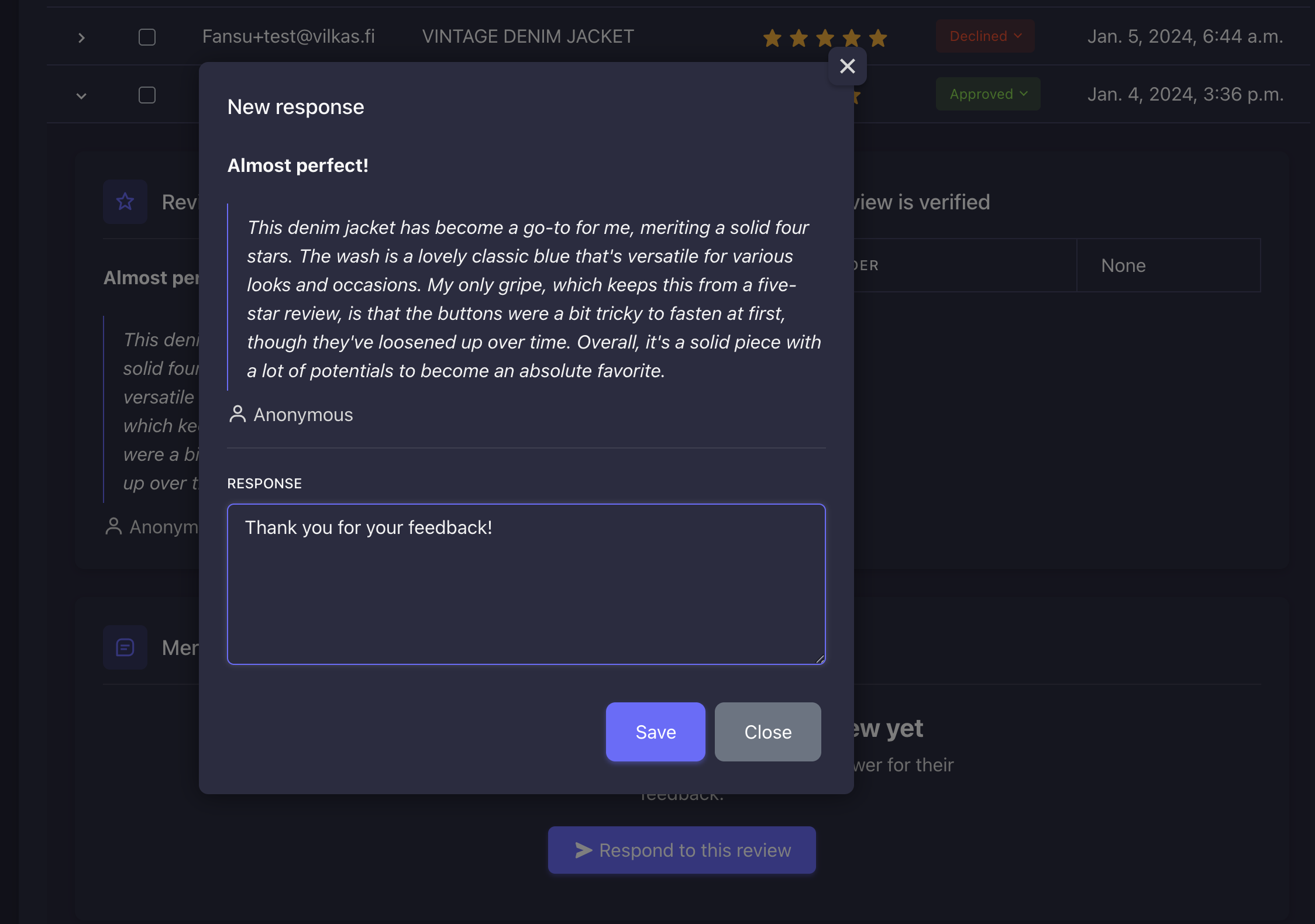
Respond to critical reviews in a calm and professional tone. Thank the customer for the feedback and, if needed, explain how the issue will be resolved or where they can get help. A well-handled response also shows other shoppers that your service holds up even when things don't go as planned.
Your response is visible to everyone who visits your online store, so don't include the customer's personal details or order information in it. If the matter needs a closer look, ask the customer to contact your customer service.
💡 Tip: If your plan doesn't include review responses yet, upgrade to the Plus tier. When you respond to feedback, you build trust with both the reviewer and other visitors to your online store.