Cancelling a review request or reminder
Cancel a scheduled review request or reminder email before it reaches your customer.
RateCompass automatically sends your customer a review request once the number of days you’ve set has passed since the order was completed. If the customer doesn’t leave a review, they get a reminder email later. Sometimes it’s better not to send the email at all, for example if the order was cancelled or returned, or if the customer has already given feedback some other way. In those cases, you can cancel the scheduled email before it reaches the customer.
Checking your scheduled emails
You’ll find your scheduled emails in the RateCompass admin panel under Compasses > your compass name > Orders. The Review request column shows the status of each order. Scheduled means the review request is waiting to be sent. Reminder scheduled means the review request has already been sent and the reminder email is waiting to go out.
To open an order, click the arrow on the left side of its row, or open all orders at once with the Expand all button. The Review request section shows when the email is scheduled to be sent.
Cancelling a review request
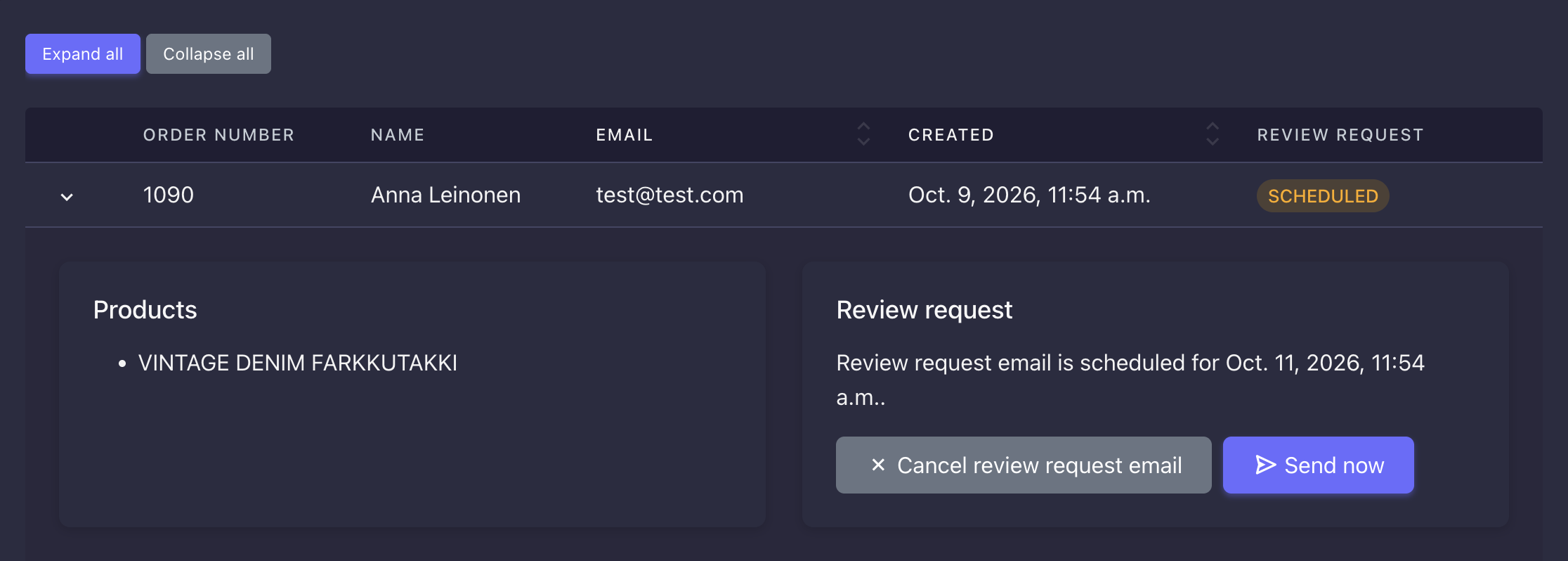
Cancelling a scheduled review request is part of the Basic plan. When an order’s status is Scheduled, you can cancel the email with the Cancel review request email button, and the customer won’t receive a review request for that order. In the same place, you’ll also find the Send now button, which sends the review request right away instead of waiting for the scheduled time.
Cancelling a reminder email
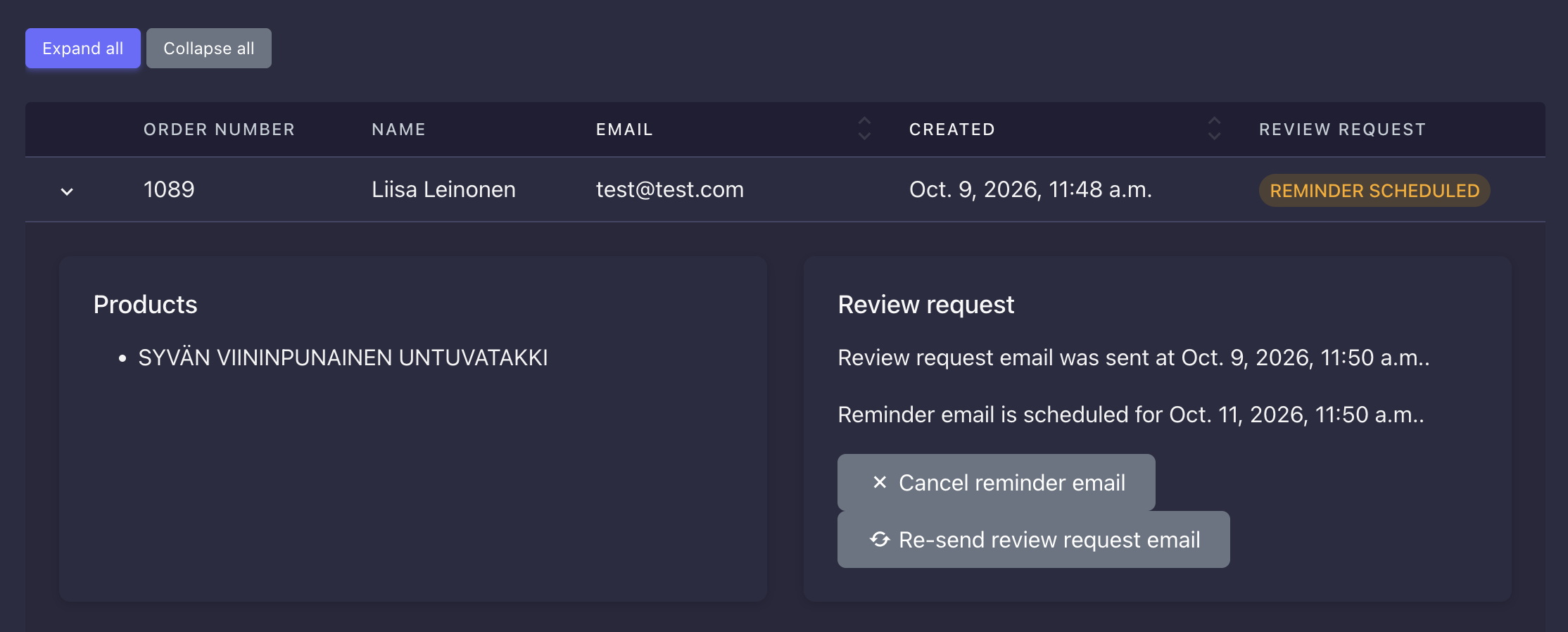
You can cancel reminder emails on any plan, including the free version of RateCompass. When an order’s status is Reminder scheduled, you can cancel the reminder with the Cancel reminder email button. Reminder emails don’t count toward your sending quota, so sending or cancelling them doesn’t affect how many review requests you can send. In the same place, you’ll also find the Re-send review request email button, which sends the original review request to the customer again.
💡 Tip: If you’re using the free version of RateCompass and also want to cancel scheduled review requests, upgrade to the Basic plan.